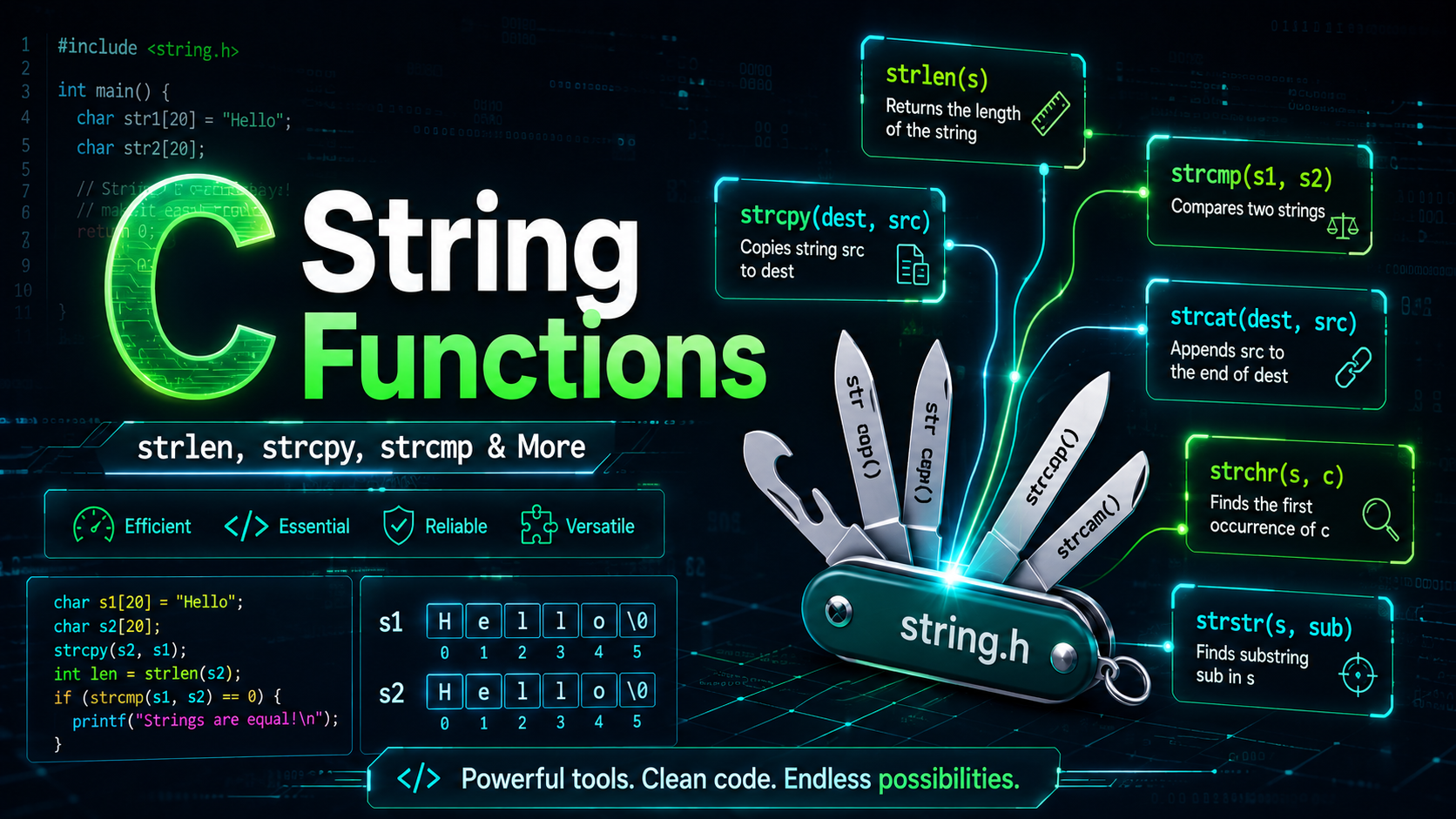
C String Functions: strlen, strcpy, strcmp & More (2026 Guide)
Table of Contents
- The string.h Header
- strlen — String Length
- strcpy and strncpy — Copy Strings
- strcat and strncat — Concatenate Strings
- strcmp and strncmp — Compare Strings
- strchr and strrchr — Find Characters
- strstr — Find Substrings
- strtok — Tokenize Strings
- sprintf and snprintf — Format to String
- Memory Functions: memcpy, memset, memcmp
- Character Functions from ctype.h
- Safe String Handling Patterns
- Practice Exercises
- Summary
The string.h Header
All standard C string functions live in <string.h>. This header provides everything you need for string manipulation — length, copy, compare, search, and tokenization. As we discussed in C Header Files, you include it at the top of your file:
#include <string.h>
Every function in this header operates on null-terminated character arrays. If you have not read our C Strings lesson, start there first — you need to understand the null terminator model before using these functions effectively.
strlen — String Length
#include <stdio.h>
#include <string.h>

int main(void) {
    char msg[] = "Hello, World!";
    size_t len = strlen(msg);
    printf("Length: %zu\n", len);  // 13

    // strlen does NOT count the null terminator
    // sizeof includes it: sizeof(msg) = 14

    // Empty string
    printf("Empty: %zu\n", strlen(""));  // 0
    return 0;
}
strlen returns a size_t (unsigned integer) — the number of characters before the '\0'. It scans the string character by character, so it is O(n). If you need the length multiple times, store it in a variable instead of calling strlen repeatedly in a loop condition.
// BAD — O(n²) because strlen is called every iteration
for (int i = 0; i < strlen(s); i++) { ... }

// GOOD — O(n)
size_t len = strlen(s);
for (size_t i = 0; i < len; i++) { ... }
strcpy and strncpy — Copy Strings
strcpy — Unsafe Copy
char src[] = "Hello";
char dest[20];

strcpy(dest, src);
printf("%s\n", dest);  // "Hello"
strcpy copies everything including the null terminator. The danger: if dest is smaller than src, you get a buffer overflow. Never use strcpy with untrusted input.
strncpy — Bounded Copy
char src[] = "Hello, World!";
char dest[10];

strncpy(dest, src, sizeof(dest) - 1);
dest[sizeof(dest) - 1] = '\0';  // strncpy may NOT null-terminate!
printf("%s\n", dest);  // "Hello, Wo"
strncpy copies at most n characters. But it has a notorious gotcha: if src is longer than n, it does not add a null terminator. You must always null-terminate manually. It also pads the rest of dest with zeros if src is shorter, which is wasteful for large buffers.
The Better Alternative: snprintf
char dest[10];
snprintf(dest, sizeof(dest), "%s", "Hello, World!");
// Always null-terminates, never overflows
printf("%s\n", dest);  // "Hello, Wo"
strcat and strncat — Concatenate Strings
char greeting[50] = "Hello";

strcat(greeting, ", ");
strcat(greeting, "World!");
printf("%s\n", greeting);  // "Hello, World!"
strcat finds the end of dest (the null terminator), then appends src there. You must ensure dest has enough room for the combined string.
strncat — Bounded Concatenation
char buf[20] = "Hello";
strncat(buf, ", World! This is long", sizeof(buf) - strlen(buf) - 1);
printf("%s\n", buf);  // "Hello, World! This"
Unlike strncpy, strncat always null-terminates. The third parameter is the maximum number of characters to append (not including the terminator).
strcmp and strncmp — Compare Strings
printf("%d\n", strcmp("apple", "banana"));  // negative (a < b)
printf("%d\n", strcmp("banana", "apple"));  // positive (b > a)
printf("%d\n", strcmp("hello", "hello"));   // 0 (equal)

// Case-sensitive!
printf("%d\n", strcmp("Hello", "hello"));  // negative (H < h in ASCII)
strcmp returns 0 if the strings are equal, a negative value if the first string is “less than” the second (lexicographically), and a positive value if it is “greater.” The comparison is byte-by-byte using ASCII values.
strncmp — Compare First N Characters
printf("%d\n", strncmp("Hello, World", "Hello, C", 5));  // 0 (first 5 match)
printf("%d\n", strncmp("Hello, World", "Hello, C", 7));  // positive (W > C)
Useful for checking if a string starts with a specific prefix:
if (strncmp(url, "https://", 8) == 0) {
    printf("Secure URL\n");
}
strchr and strrchr — Find Characters
char path[] = "/home/user/docs/file.txt";

char *dot = strchr(path, '.');      // first '.' → ".txt"
char *slash = strrchr(path, '/');   // last '/' → "/file.txt"

if (dot) printf("Extension: %s\n", dot);      // .txt
if (slash) printf("Filename: %s\n", slash + 1); // file.txt
strchr searches forward for the first occurrence of a character. strrchr searches backward for the last occurrence. Both return a pointer to the found character, or NULL if not found.
strstr — Find Substrings
char haystack[] = "The quick brown fox jumps over the lazy dog";

char *found = strstr(haystack, "fox");
if (found) {
    printf("Found at position: %ld\n", found - haystack);  // 16
    printf("From match: %s\n", found);  // "fox jumps over the lazy dog"
}

// Not found
if (strstr(haystack, "cat") == NULL) {
    printf("'cat' not found\n");
}
strstr finds the first occurrence of a substring within a string. It returns a pointer to the beginning of the match, or NULL if the substring is not found. This is case-sensitive.
strtok — Tokenize Strings
strtok splits a string into tokens based on delimiter characters:
#include <stdio.h>
#include <string.h>

int main(void) {
    char csv[] = "Alice,30,Engineer,NYC";

    char *token = strtok(csv, ",");
    while (token != NULL) {
        printf("Token: %s\n", token);
        token = strtok(NULL, ",");  // pass NULL for subsequent calls
    }
    return 0;
}
Output:
Token: Alice
Token: 30
Token: Engineer
Token: NYC
Warning: strtok modifies the original string (replaces delimiters with '\0') and uses internal static state, making it non-reentrant and not thread-safe. For thread-safe code, use strtok_r (POSIX) or strtok_s (C11 Annex K).
sprintf and snprintf — Format to String
char buffer[100];

// sprintf — no bounds checking (dangerous)
sprintf(buffer, "Name: %s, Age: %d", "Alice", 30);
printf("%s\n", buffer);  // "Name: Alice, Age: 30"

// snprintf — safe, bounded version (ALWAYS prefer this)
int written = snprintf(buffer, sizeof(buffer),
    "Score: %d/100 (%.1f%%)", 85, 85.0);
printf("%s\n", buffer);       // "Score: 85/100 (85.0%)"
printf("Wrote: %d chars\n", written);  // 24
snprintf is the Swiss Army knife of C string construction. It formats data into a string buffer with guaranteed bounds checking and null termination. Use it instead of sprintf in all production code.
Memory Functions: memcpy, memset, memcmp
These operate on raw memory (not just strings) and are found in <string.h>:
int a[5] = {1, 2, 3, 4, 5};
int b[5];

// memcpy — copy n bytes (faster than loop for large data)
memcpy(b, a, sizeof(a));
// b is now {1, 2, 3, 4, 5}

// memset — fill memory with a byte value
memset(a, 0, sizeof(a));
// a is now {0, 0, 0, 0, 0}

// memcmp — compare memory blocks
if (memcmp(a, b, sizeof(a)) != 0) {
    printf("Arrays are different\n");
}
memcpy does not handle overlapping memory regions — use memmove for that. memset fills each byte with the given value, so memset(arr, 0, size) works for zeroing, but memset(arr, 1, size) does not set each integer to 1 (it sets each byte to 1).
Character Functions from ctype.h
#include <ctype.h>

// Character classification
isalpha('A');   // true — alphabetic
isdigit('5');   // true — digit
isalnum('a');   // true — alphanumeric
isspace(' ');   // true — whitespace
isupper('A');   // true — uppercase
islower('a');   // true — lowercase

// Character conversion
toupper('a');   // 'A'
tolower('Z');   // 'z'
Practical Example: Convert to Uppercase
void to_upper(char *s) {
    for (int i = 0; s[i]; i++) {
        s[i] = toupper((unsigned char)s[i]);
    }
}
Always cast to unsigned char when passing to ctype functions. The C standard says the behavior is undefined for negative values, and char might be signed on your platform.
Safe String Handling Patterns
Always Use snprintf Over sprintf
// BAD
char buf[50];
sprintf(buf, "User: %s", user_input);

// GOOD
snprintf(buf, sizeof(buf), "User: %s", user_input);
Build Strings Incrementally
char result[256];
int offset = 0;
const char *words[] = {"Hello", "World", "from", "C"};

for (int i = 0; i < 4; i++) {
    offset += snprintf(result + offset, sizeof(result) - offset,
        "%s%s", (i > 0 ? " " : ""), words[i]);
    if (offset >= (int)sizeof(result)) break;  // buffer full
}
printf("%s\n", result);  // "Hello World from C"
Validate Before Processing
void process_name(const char *name) {
    if (name == NULL) return;
    if (strlen(name) == 0) return;
    if (strlen(name) > 100) {
        fprintf(stderr, "Name too long\n");
        return;
    }
    // Safe to proceed
}
Practice Exercises
- Custom strstr: Implement your own substring search function without using
strstr. - CSV Parser: Parse a CSV line into an array of fields, handling quoted fields that contain commas.
- String Replace: Write a function that replaces all occurrences of a substring with another string.
- Trim Function: Write
trim()that removes leading and trailing whitespace from a string. - Anagram Checker: Determine if two strings are anagrams of each other.
Summary
The C string library gives you powerful tools for manipulating text — from basic operations like strlen and strcpy to advanced techniques like tokenization and formatted output. The key principle is always the same: use bounded functions (strncpy, strncat, snprintf, fgets) and validate your inputs. In production C code, buffer safety is not optional — it is the difference between working software and a security vulnerability.
Next, we will explore the C Preprocessor — the macro system that transforms your code before the compiler ever sees it.