C++ Structured Bindings: Unpack Pairs, Tuples & Structs Easily 2026
Table of Contents
What Are Structured Bindings
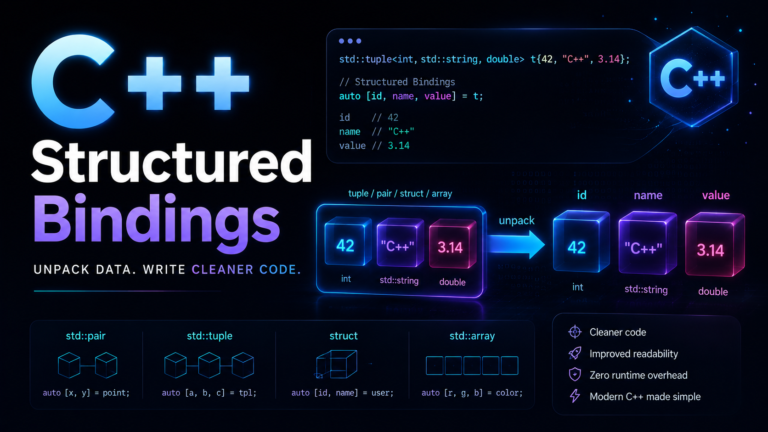
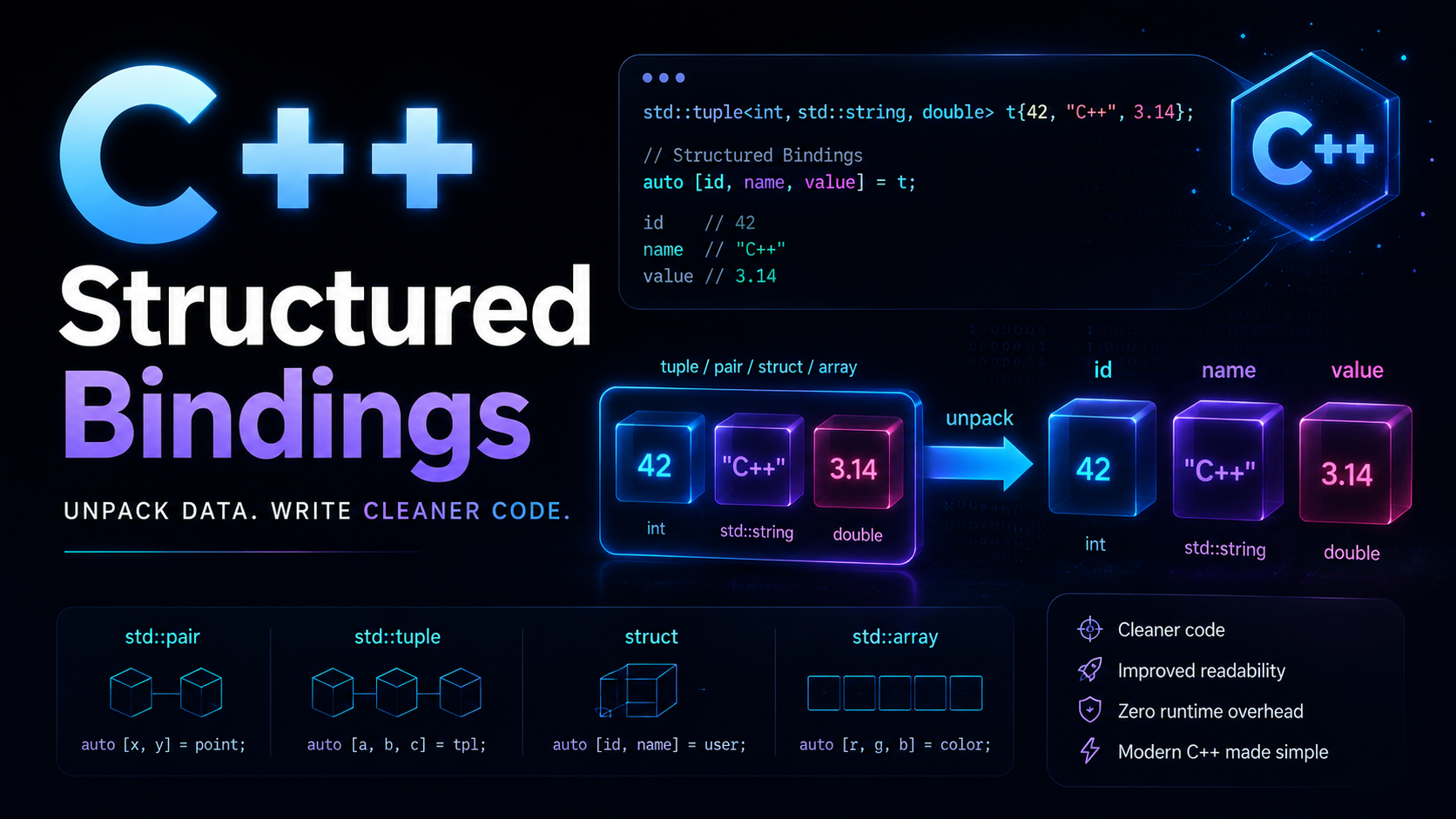
Structured bindings, introduced in C++17, let you unpack compound objects into individual named variables in a single declaration. Instead of accessing .first and .second on pairs, calling std::get<0>() on tuples, or manually reading struct members one by one, you write auto [a, b, c] = expression; and get named variables directly.
This feature exists because the old way of working with pairs, tuples, and multi-value returns was ugly. If you’ve iterated over a std::map and typed it->first and it->second dozens of times, or returned a std::pair<bool, std::string> from a function and immediately forgotten which was which, structured bindings solve that problem. They’re one of C++17’s most universally loved features.
If you’ve used auto and type deduction, structured bindings extend that concept — the compiler deduces the type of each binding from the source object.
Unpacking Pairs
#include <map>
#include <string>
#include <iostream>

int main() {
    std::map<std::string, int> ages = {
        {"Alice", 30}, {"Bob", 25}, {"Charlie", 35}
    };

    // OLD WAY: .first and .second everywhere
    auto it = ages.find("Alice");
    if (it != ages.end()) {
        std::cout << it->first << " is " << it->second << "
";
    }

    // NEW WAY: structured bindings
    // insert returns pair<iterator, bool>
    auto [iter, inserted] = ages.insert({"Dave", 28});
    if (inserted) {
        std::cout << "Added: " << iter->first << "
";
    }

    // Map iteration — the killer use case
    for (auto [name, age] : ages) {
        std::cout << name << ": " << age << "
";
    }
}
The map iteration example is what sells structured bindings to most programmers. auto [name, age] is dramatically clearer than auto& pair followed by pair.first and pair.second.
Unpacking Tuples
#include <tuple>
#include <string>
#include <iostream>

std::tuple<std::string, int, double> get_employee() {
    return {"Alice", 30, 75000.0};
}

int main() {
    // OLD WAY: std::get or std::tie
    auto emp = get_employee();
    std::string name1 = std::get<0>(emp);
    int age1 = std::get<1>(emp);
    // Verbose and index-based — easy to mess up

    // With std::tie (C++11)
    std::string name2;
    int age2;
    double salary2;
    std::tie(name2, age2, salary2) = get_employee();
    // Variables must be declared first — awkward

    // NEW WAY: structured bindings (C++17)
    auto [name, age, salary] = get_employee();
    std::cout << name << ", age " << age
              << ", salary $" << salary << "
";
}
Unpacking Structs
#include <iostream>
#include <string>

struct Point { double x, y, z; };

struct Config {
    std::string host;
    int port;
    bool debug;
};

Config load_config() {
    return {"localhost", 8080, true};
}

int main() {
    Point p{1.0, 2.0, 3.0};
    auto [x, y, z] = p;
    std::cout << "(" << x << ", " << y << ", " << z << ")
";

    auto [host, port, debug] = load_config();
    std::cout << host << ":" << port
              << (debug ? " (debug)" : "") << "
";
}
Important: structured bindings with structs only work when all members are public. The binding names don’t need to match the member names — they bind in declaration order.
Unpacking Arrays
#include <array>
#include <iostream>

int main() {
    // C-style arrays
    int coords[] = {10, 20, 30};
    auto [x, y, z] = coords;
    std::cout << x << ", " << y << ", " << z << "
";

    // std::array
    std::array<double, 3> rgb = {0.5, 0.8, 0.2};
    auto [r, g, b] = rgb;
    std::cout << "R=" << r << " G=" << g << " B=" << b << "
";
}
Structured Bindings in Range-Based For Loops
#include <map>
#include <vector>
#include <string>
#include <iostream>

int main() {
    // Map iteration (most common use case)
    std::map<std::string, std::vector<int>> grades = {
        {"Alice", {90, 85, 92}},
        {"Bob",   {78, 82, 88}}
    };

    for (const auto& [name, scores] : grades) {
        double avg = 0;
        for (int s : scores) avg += s;
        avg /= scores.size();
        std::cout << name << ": " << avg << "
";
    }

    // With enumerate-like pattern using index
    std::vector<std::pair<int, std::string>> indexed = {
        {0, "zero"}, {1, "one"}, {2, "two"}
    };
    for (auto [idx, word] : indexed) {
        std::cout << idx << " -> " << word << "
";
    }
}
References and Const Qualifiers
#include <utility>
#include <iostream>
#include <string>

int main() {
    std::pair<std::string, int> p = {"Alice", 30};

    // Copy — modifying a, b doesn't affect p
    auto [a, b] = p;
    a = "Bob";  // p.first is still "Alice"

    // Reference — modifying x, y modifies p
    auto& [x, y] = p;
    x = "Charlie";
    y = 40;
    std::cout << p.first << ": " << p.second << "
";
    // Charlie: 40

    // Const reference — read-only access
    const auto& [cx, cy] = p;
    // cx = "Dave";  // Error: cx is const
    std::cout << cx << ": " << cy << "
";
}
The reference form auto& is especially important in for loops. Without the reference, you copy every element. With const auto&, you get efficient read-only access.
Structured Bindings with Functions
#include <tuple>
#include <string>
#include <fstream>
#include <iostream>

// Return multiple values naturally
std::tuple<bool, std::string, int> read_file(const std::string& path) {
    std::ifstream f(path);
    if (!f) return {false, "", 0};

    std::string content;
    std::string line;
    int line_count = 0;
    while (std::getline(f, line)) {
        content += line + "
";
        ++line_count;
    }
    return {true, content, line_count};
}

// Struct return is often clearer for 3+ values
struct FileResult {
    bool success;
    std::string content;
    int lines;
};

FileResult read_file_v2(const std::string& path) {
    // ... same logic, returns FileResult{true, content, count}
    return {true, "sample", 10};
}

int main() {
    // Tuple version
    auto [ok, content, lines] = read_file("test.txt");
    if (ok) std::cout << lines << " lines read
";

    // Struct version — same syntax!
    auto [success, data, count] = read_file_v2("test.txt");
    if (success) std::cout << count << " lines read
";
}
How Structured Bindings Work Internally
Structured bindings aren’t just syntactic sugar that creates separate variables. The compiler creates a hidden variable that holds the entire object, and the bindings are aliases (references) into that hidden variable. Understanding this matters for performance and lifetime.
// When you write:
auto [x, y] = get_pair();

// The compiler generates something like:
auto __hidden = get_pair();
// x refers to __hidden.first
// y refers to __hidden.second

// When you write:
auto& [x, y] = some_pair;

// x and y are references to the actual members of some_pair
Structured bindings work with three kinds of types. First, arrays — the number of bindings must match the array size. Second, tuple-like types — anything with std::tuple_size, std::tuple_element, and get<N>(). Third, structs/classes with all public non-static data members.
Limitations
// 1. Can't ignore elements (no _ placeholder in C++17)
auto [x, y, z] = std::make_tuple(1, 2, 3);
// You must name all three — can't skip the middle one
// C++26 may add _ for this

// 2. Can't use with private members
class Secret {
    int a, b;  // private
public:
    Secret(int a, int b) : a(a), b(b) {}
};
// auto [x, y] = Secret{1, 2};  // Error: members are private

// 3. Can't nest bindings
// auto [[a, b], c] = std::make_pair(std::make_pair(1, 2), 3);
// Not allowed — must unpack one level at a time
auto [inner, c] = std::make_pair(std::make_pair(1, 2), 3);
auto [a, b] = inner;  // Two steps

// 4. Number must match exactly
// auto [x, y] = std::make_tuple(1, 2, 3);  // Error: 3 elements, 2 bindings

// 5. Can't use in member initializer lists or lambda captures (C++17)
// C++20 allows structured bindings in lambda captures
Real-World Examples
#include <map>
#include <string>
#include <vector>
#include <algorithm>
#include <iostream>

// Real-world 1: Counting with maps
void word_frequency(const std::vector<std::string>& words) {
    std::map<std::string, int> freq;
    for (const auto& w : words) freq[w]++;

    // Find most common word
    std::string most_common;
    int max_count = 0;
    for (const auto& [word, count] : freq) {
        if (count > max_count) {
            most_common = word;
            max_count = count;
        }
    }
    std::cout << "Most common: " << most_common
              << " (" << max_count << "x)
";
}

// Real-world 2: min/max with minmax
void analyze(const std::vector<int>& data) {
    auto [min_it, max_it] = std::minmax_element(data.begin(), data.end());
    std::cout << "Min: " << *min_it << ", Max: " << *max_it << "
";
}

// Real-world 3: Combining with optional (from previous lesson)
#include <optional>
std::optional<std::pair<std::string, int>> find_oldest(
    const std::map<std::string, int>& people
) {
    if (people.empty()) return std::nullopt;
    auto it = std::max_element(people.begin(), people.end(),
        [](const auto& a, const auto& b) {
            return a.second < b.second;
        });
    return *it;
}

int main() {
    word_frequency({"the", "cat", "sat", "on", "the", "mat", "the"});
    analyze({5, 2, 8, 1, 9, 3});

    std::map<std::string, int> people = {{"Alice", 30}, {"Bob", 65}};
    if (auto oldest = find_oldest(people)) {
        auto [name, age] = *oldest;
        std::cout << name << " is oldest at " << age << "
";
    }
}
Practice Exercises
Exercise 1: Write a function that takes a std::map<std::string, double> of student grades and uses structured bindings to find the student with the highest grade. Return a std::pair<std::string, double>.
Exercise 2: Create a divide_with_remainder function that returns a std::pair<int, int> (quotient and remainder). Call it and unpack the result with structured bindings.
Exercise 3: Write a function that takes two vectors of equal length and produces a std::map by zipping them. Use structured bindings to iterate and print the result.
Exercise 4: Combine structured bindings with std::optional: write a function that searches a map for a key and returns std::optional<std::pair<std::string, int>>. Use if (auto result = find(...)) { auto [k, v] = *result; } to chain them.
Structured bindings make C++ code feel more like Python or JavaScript destructuring — but with full type safety and zero overhead. They pair beautifully with maps and sets, lambdas, and the vocabulary types from the previous lesson. Next up: Ranges and Views, C++20’s pipeline-style data transformations.