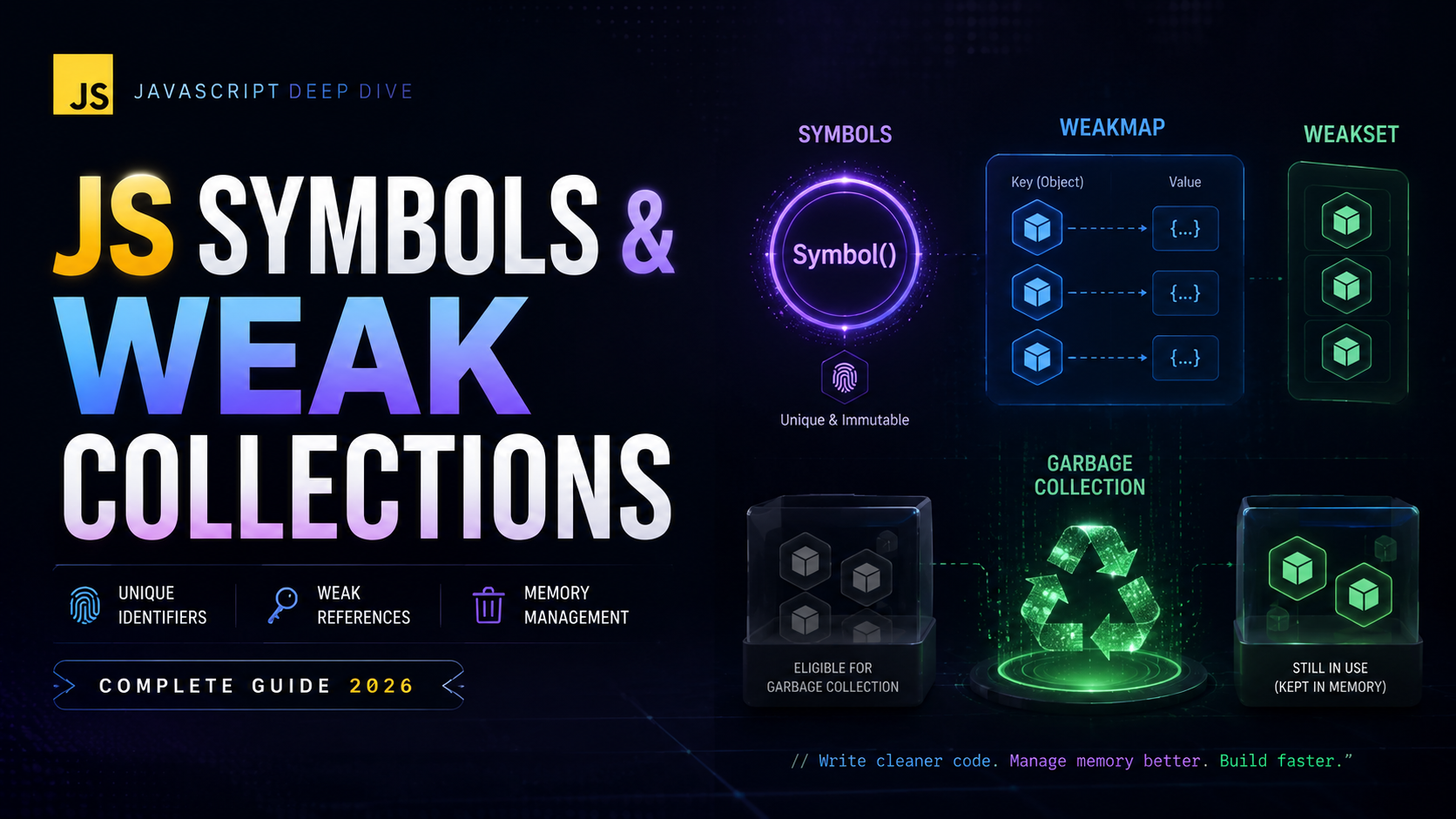
JavaScript Symbols, WeakMap, and WeakSet: Advanced Identity and Memory
JavaScript symbols, WeakMap, and WeakSet are advanced features that solve specific, important problems: creating truly unique identifiers, implementing private-like properties, and managing object associations without causing memory leaks. These tools are used extensively in frameworks, libraries, and the language itself (the iteration protocol relies on Symbol.iterator). This tutorial covers symbols from creation to well-known symbols, WeakMap for memory-safe key-value storage, WeakSet for object tracking, and the newer WeakRef for fine-grained reference control.
What Are Symbols?
A Symbol is a primitive data type introduced in ES6 that creates a guaranteed unique identifier. Unlike strings, two symbols created with the same description are never equal. Symbols are JavaScript’s seventh primitive type alongside string, number, boolean, undefined, null, and bigint.
const sym1 = Symbol('id');
const sym2 = Symbol('id');

console.log(sym1 === sym2);       // false — always unique!
console.log(typeof sym1);          // "symbol"
console.log(sym1.toString());      // "Symbol(id)"
console.log(sym1.description);     // "id" (ES2019)
The string passed to Symbol() is just a description for debugging — it doesn’t affect uniqueness. You cannot use new Symbol() because symbols are primitives, not objects.
Creating and Using Symbols
Basic Symbol Creation
// Descriptive symbols (recommended)
const COLOR = Symbol('color');
const SIZE = Symbol('size');
const SHAPE = Symbol('shape');

// Using symbols as unique constants (enum-like)
const Status = {
  PENDING: Symbol('pending'),
  ACTIVE: Symbol('active'),
  CLOSED: Symbol('closed'),
};

function processOrder(status) {
  if (status === Status.PENDING) {
    console.log('Order is pending...');
  } else if (status === Status.ACTIVE) {
    console.log('Order is active!');
  }
}

processOrder(Status.ACTIVE);    // "Order is active!"
processOrder('active');          // No match — strings !== symbols
Using symbols for constants prevents accidental collisions with string values. Unlike string variables, there is no way for two parts of code to accidentally create the same symbol.
Symbols Cannot Be Implicitly Converted
const sym = Symbol('test');

// console.log('Value: ' + sym);    // TypeError!
console.log(`Value: ${sym.toString()}`);    // OK: "Value: Symbol(test)"
console.log(`Value: ${sym.description}`);   // OK: "Value: test"
Well-Known Symbols
JavaScript has built-in symbols that customize object behavior. These “well-known symbols” are properties of the Symbol constructor:
Symbol.iterator
class Matrix {
  constructor(data) {
    this.data = data;
    this.rows = data.length;
    this.cols = data[0].length;
  }

  [Symbol.iterator]() {
    let row = 0, col = 0;
    const data = this.data;
    const cols = this.cols;
    const rows = this.rows;

    return {
      next() {
        if (row >= rows) return { done: true };
        const value = data[row][col];
        col++;
        if (col >= cols) { col = 0; row++; }
        return { value, done: false };
      }
    };
  }
}

const matrix = new Matrix([[1, 2], [3, 4], [5, 6]]);
console.log([...matrix]); // [1, 2, 3, 4, 5, 6]
Symbol.toPrimitive
class Currency {
  constructor(amount, code) {
    this.amount = amount;
    this.code = code;
  }

  [Symbol.toPrimitive](hint) {
    switch (hint) {
      case 'number': return this.amount;
      case 'string': return `${this.amount} ${this.code}`;
      default:       return this.amount;
    }
  }
}

const price = new Currency(29.99, 'USD');
console.log(+price);            // 29.99 (number hint)
console.log(`${price}`);        // "29.99 USD" (string hint)
console.log(price + 10);        // 39.99 (default hint)
Symbol.hasInstance
class EvenNumber {
  static [Symbol.hasInstance](num) {
    return typeof num === 'number' && num % 2 === 0;
  }
}

console.log(4 instanceof EvenNumber);   // true
console.log(5 instanceof EvenNumber);   // false
console.log(100 instanceof EvenNumber); // true
Symbol.toStringTag
class Validator {
  get [Symbol.toStringTag]() {
    return 'Validator';
  }
}

const v = new Validator();
console.log(Object.prototype.toString.call(v)); // "[object Validator]"
Other well-known symbols include Symbol.species, Symbol.match, Symbol.replace, and Symbol.split. See the MDN Symbol reference for the complete list.
The Global Symbol Registry
Symbol.for(key) creates or retrieves a symbol from a global registry. Unlike Symbol(), calling Symbol.for() with the same key always returns the same symbol:
const sym1 = Symbol.for('app.id');
const sym2 = Symbol.for('app.id');

console.log(sym1 === sym2); // true — same symbol!

// Retrieve the key from a global symbol
console.log(Symbol.keyFor(sym1)); // "app.id"

// Regular symbols are NOT in the registry
const local = Symbol('app.id');
console.log(Symbol.keyFor(local)); // undefined
The global registry is useful for cross-realm communication (e.g., between iframes) and for creating well-known protocol symbols shared across libraries.
Symbols as Object Property Keys
Symbols can be used as object property keys, creating “hidden” properties that don’t appear in normal enumeration:
const metadata = Symbol('metadata');
const secret = Symbol('secret');

const user = {
  name: 'Alice',
  email: 'alice@example.com',
  [metadata]: { createdAt: '2026-01-01', source: 'api' },
  [secret]: 'internal-token-xyz',
};

// Symbols are invisible to most operations
console.log(Object.keys(user));              // ['name', 'email']
console.log(JSON.stringify(user));           // '{"name":"Alice","email":"alice@example.com"}'
console.log(Object.entries(user));           // [['name','Alice'], ['email','alice@example.com']]

// But accessible if you have the symbol reference
console.log(user[metadata]);                 // { createdAt: '2026-01-01', source: 'api' }
console.log(Object.getOwnPropertySymbols(user)); // [Symbol(metadata), Symbol(secret)]
console.log(Reflect.ownKeys(user));          // ['name', 'email', Symbol(metadata), Symbol(secret)]
This makes symbols ideal for adding non-interfering metadata to objects you don’t own, such as DOM elements or third-party library objects.
WeakMap Explained
A WeakMap is a key-value collection where keys must be objects and references to those keys are weak. When an object used as a key is garbage collected, its entry is automatically removed from the WeakMap.
let user = { name: 'Alice' };
const cache = new WeakMap();

cache.set(user, { lastLogin: Date.now(), visits: 42 });
console.log(cache.get(user)); // { lastLogin: ..., visits: 42 }
console.log(cache.has(user)); // true

// When the object is no longer referenced:
user = null; // The WeakMap entry is eligible for garbage collection
// cache now has 0 entries (eventually, after GC runs)
WeakMap Limitations (By Design)
- No iteration: No
forEach,keys(),values(),entries(), orfor...of - No size property: You cannot know how many entries exist
- Only object keys: Strings, numbers, and other primitives cannot be keys
- Methods: Only
get,set,has, anddelete
These limitations exist because entries can disappear at any time when the garbage collector runs, making iteration unreliable.
WeakMap Real-World Use Cases
Private Instance Data
const _private = new WeakMap();

class Person {
  constructor(name, ssn) {
    this.name = name;
    _private.set(this, { ssn, loginAttempts: 0 });
  }

  getSSN(authToken) {
    if (!validateToken(authToken)) throw new Error('Unauthorized');
    return _private.get(this).ssn;
  }

  recordLoginAttempt() {
    const data = _private.get(this);
    data.loginAttempts++;
  }
}

const alice = new Person('Alice', '123-45-6789');
console.log(alice.name);           // "Alice"
console.log(alice.ssn);            // undefined (truly private)
console.log(_private.get(alice));  // Only accessible with the WeakMap reference
This pattern predates private class fields (#field). It’s still used when you need to attach private data to objects you don’t control.
DOM Element Metadata Cache
const elementData = new WeakMap();

function trackElement(element) {
  elementData.set(element, {
    clickCount: 0,
    firstSeen: Date.now(),
    handler: (e) => {
      const data = elementData.get(element);
      data.clickCount++;
      console.log(`Clicked ${data.clickCount} times`);
    }
  });
  element.addEventListener('click', elementData.get(element).handler);
}

// When the DOM element is removed from the page and dereferenced,
// the WeakMap entry (and its data) is automatically garbage collected.
// No manual cleanup needed — no memory leaks!
Memoization Cache
const computeCache = new WeakMap();

function expensiveComputation(obj) {
  if (computeCache.has(obj)) {
    return computeCache.get(obj);
  }

  // Simulate expensive work
  const result = Object.keys(obj).reduce((sum, key) => {
    return sum + String(obj[key]).length;
  }, 0);

  computeCache.set(obj, result);
  return result;
}

let data = { name: 'Alice', bio: 'Developer and writer' };
console.log(expensiveComputation(data)); // Computed
console.log(expensiveComputation(data)); // Cached!

data = null; // Cache entry is garbage collected
Compare this with a regular Map — if you used Map, the object reference in the key would prevent garbage collection, causing a memory leak. Learn more about how the Fetch API can be used alongside WeakMap caches for network requests.
WeakSet Explained
A WeakSet holds weak references to objects, similar to WeakMap but without values. It answers one question: “Is this object in the set?”
const visited = new WeakSet();

function processNode(node) {
  if (visited.has(node)) {
    console.log('Already visited, skipping');
    return;
  }

  visited.add(node);
  // Process the node...
  console.log('Processing:', node.id);

  // Visit children
  for (const child of node.children || []) {
    processNode(child);
  }
}

// Circular reference won't cause infinite loop
const a = { id: 'a', children: [] };
const b = { id: 'b', children: [a] };
a.children.push(b); // Circular!

processNode(a);
// Processing: a
// Processing: b
// Already visited, skipping (when b tries to visit a again)
Branding / Type Checking
const _validated = new WeakSet();

class SafeHTML {
  constructor(html) {
    // Sanitize the HTML
    this.content = sanitize(html);
    _validated.add(this);
  }

  static isValidated(obj) {
    return _validated.has(obj);
  }
}

function renderToDOM(element, safeHTML) {
  if (!SafeHTML.isValidated(safeHTML)) {
    throw new Error('Only validated SafeHTML can be rendered');
  }
  element.innerHTML = safeHTML.content;
}
Tracking Object State
const disposed = new WeakSet();

class Resource {
  constructor(name) {
    this.name = name;
    this.handle = acquireResource(name);
  }

  use() {
    if (disposed.has(this)) {
      throw new Error(`Resource '${this.name}' has been disposed`);
    }
    return this.handle.read();
  }

  dispose() {
    this.handle.release();
    disposed.add(this);
  }
}
WeakRef and FinalizationRegistry
WeakRef (ES2021) holds a weak reference to an object, allowing it to be garbage collected. FinalizationRegistry lets you register a callback to run when an object is garbage collected.
// WeakRef for a cache that can expire
class LRUCache {
  #cache = new Map();

  set(key, value) {
    this.#cache.set(key, new WeakRef(value));
  }

  get(key) {
    const ref = this.#cache.get(key);
    if (!ref) return undefined;

    const value = ref.deref(); // Returns undefined if GC'd
    if (!value) {
      this.#cache.delete(key); // Clean up dead reference
      return undefined;
    }
    return value;
  }
}

// FinalizationRegistry for cleanup
const registry = new FinalizationRegistry((heldValue) => {
  console.log(`Object with ID ${heldValue} was garbage collected`);
  // Perform cleanup: close file handles, remove from indexes, etc.
});

let heavyObject = { id: 42, data: new ArrayBuffer(1024 * 1024) };
registry.register(heavyObject, heavyObject.id);

heavyObject = null; // Eventually: "Object with ID 42 was garbage collected"
Warning: WeakRef and FinalizationRegistry should be used sparingly. Garbage collection timing is non-deterministic — you cannot rely on callbacks running at specific times. The TC39 specification explicitly warns against depending on GC behavior for program correctness.
Common Mistakes and Pitfalls
1. Using new Symbol()
// WRONG
const sym = new Symbol('id'); // TypeError: Symbol is not a constructor

// CORRECT
const sym = Symbol('id');
2. Using Primitives as WeakMap Keys
const wm = new WeakMap();

// WRONG
wm.set('key', 'value');   // TypeError: Invalid value used as weak map key
wm.set(42, 'value');      // TypeError

// CORRECT
wm.set({}, 'value');      // Objects only
wm.set(document.body, 'data'); // DOM elements are objects
3. Expecting WeakMap/WeakSet to Be Enumerable
const ws = new WeakSet();
ws.add({ a: 1 });
ws.add({ b: 2 });

// NONE of these exist:
// ws.size        // undefined
// ws.forEach()   // TypeError
// [...ws]        // TypeError
// ws.keys()      // TypeError
4. Confusing Symbol() and Symbol.for()
Symbol('x') === Symbol('x');           // false (always unique)
Symbol.for('x') === Symbol.for('x');   // true (global registry)
5. Forgetting That WeakRef.deref() Can Return undefined
const ref = new WeakRef(someObject);

// WRONG
ref.deref().doSomething(); // Might throw if GC'd

// CORRECT
const obj = ref.deref();
if (obj) {
  obj.doSomething();
}
6. Symbols in JSON Serialization
const obj = { name: 'Alice', [Symbol('id')]: 42 };
console.log(JSON.stringify(obj)); // '{"name":"Alice"}' — symbol keys are ignored!
Summary and Key Takeaways
- Symbols are unique, immutable primitives created with
Symbol() - Well-known symbols (
Symbol.iterator,Symbol.toPrimitive, etc.) customize built-in JavaScript behavior - Symbol.for() provides a global registry for cross-realm symbol sharing
- Symbol-keyed properties are invisible to
Object.keys(),JSON.stringify(), andfor...in - WeakMap stores object→value pairs with weak key references, preventing memory leaks
- Use WeakMap for: private data, DOM metadata caching, memoization, and object associations
- WeakSet tracks object membership with weak references — great for visited tracking and branding
- WeakRef provides explicit weak references; FinalizationRegistry enables cleanup callbacks
- None of the “Weak” collections are enumerable — this is by design due to GC non-determinism
- For more on these features, explore MDN WeakMap, MDN Symbol, and javascript.info Symbols
With Symbols, WeakMap, and WeakSet in your toolkit, you have mastered JavaScript’s advanced identity and memory management primitives. These tools are foundational for building frameworks, libraries, and performance-critical applications. Review earlier lessons on closures and classes to see how all these concepts interconnect in real JavaScript applications.


