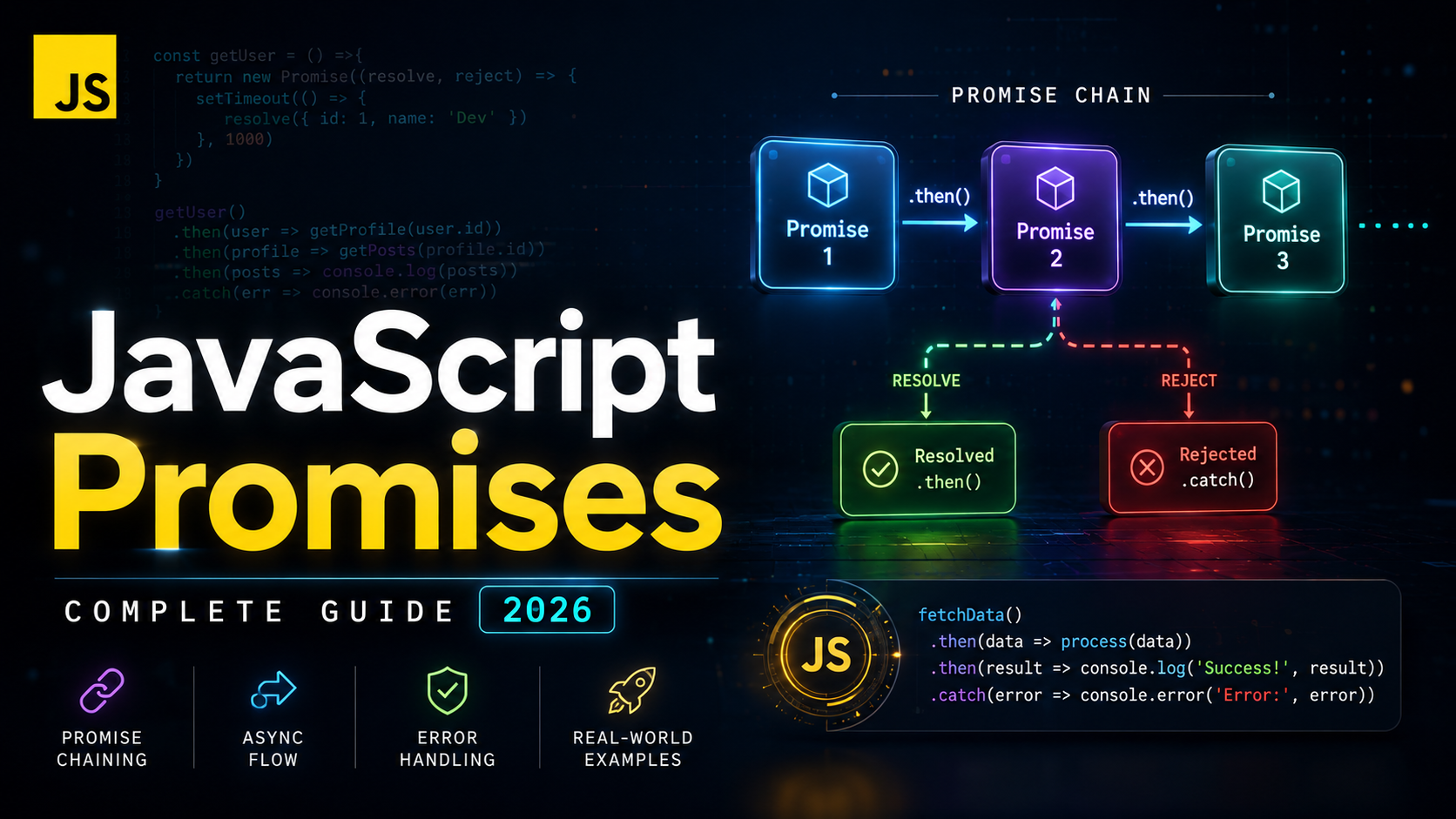
JavaScript Promises: The Complete Guide to Async Operations
JavaScript promises are the modern foundation for handling asynchronous operations. A promise represents a value that may not be available yet but will be resolved at some point in the future — or rejected with an error. If you have ever dealt with nested callbacks (callback hell), promises are the solution that makes async code readable, composable, and maintainable.
In this lesson, you will learn how to create promises, chain them, handle errors, and use powerful utility methods like Promise.all and Promise.race. Understanding promises is essential before moving to async/await, which is syntactic sugar built on top of promises.
What Is a Promise?
A JavaScript promise is an object that represents the eventual completion (or failure) of an asynchronous operation. Instead of passing a callback function into an async function, the async function returns a promise object that you can attach handlers to.
// Old way: callbacks
fetchData(url, function(error, data) {
  if (error) {
    handleError(error);
  } else {
    processData(data);
  }
});

// Modern way: promises
fetchData(url)
  .then(data => processData(data))
  .catch(error => handleError(error));
Promises were added to JavaScript in ES2015 (ES6) and are now a core part of the language. Every modern browser and Node.js version supports them natively. The MDN Promise documentation is the definitive reference.
The Three States of a Promise
A promise is always in one of three states:
- Pending — the initial state; the operation has not completed yet
- Fulfilled — the operation completed successfully, and the promise has a result value
- Rejected — the operation failed, and the promise has a reason (error)
Once a promise moves from pending to fulfilled or rejected, it is settled and cannot change state again. This immutability is a key design property — a promise can only be resolved or rejected once.
const promise = new Promise((resolve, reject) => {
  // This runs immediately (synchronously)
  const success = true;

  if (success) {
    resolve("Operation succeeded!"); // state: pending → fulfilled
  } else {
    reject(new Error("Operation failed")); // state: pending → rejected
  }
});

console.log(promise); // Promise {<fulfilled>: "Operation succeeded!"}
Creating Promises
You create a promise using the Promise constructor, which takes an executor function with two parameters: resolve and reject.
function delay(ms) {
  return new Promise((resolve) => {
    setTimeout(() => resolve(ms), ms);
  });
}

function loadImage(src) {
  return new Promise((resolve, reject) => {
    const img = new Image();
    img.onload = () => resolve(img);
    img.onerror = () => reject(new Error(`Failed to load image: ${src}`));
    img.src = src;
  });
}

function fetchUserData(userId) {
  return new Promise((resolve, reject) => {
    const xhr = new XMLHttpRequest();
    xhr.open("GET", `/api/users/${userId}`);
    xhr.onload = () => {
      if (xhr.status === 200) {
        resolve(JSON.parse(xhr.responseText));
      } else {
        reject(new Error(`HTTP ${xhr.status}: ${xhr.statusText}`));
      }
    };
    xhr.onerror = () => reject(new Error("Network error"));
    xhr.send();
  });
}
You can also create already-resolved or already-rejected promises for convenience:
const resolved = Promise.resolve(42);
const rejected = Promise.reject(new Error("Something went wrong"));

// Useful for returning cached values from async functions
function getUser(id) {
  if (cache.has(id)) {
    return Promise.resolve(cache.get(id)); // return cached value as promise
  }
  return fetchUserFromAPI(id); // returns a promise
}
Consuming Promises: then, catch, finally
You consume promises using three methods:
.then(onFulfilled, onRejected)
const promise = fetch("/api/data");

// .then() receives the resolved value
promise.then(response => {
  console.log("Status:", response.status);
  return response.json(); // returns another promise
});

// .then() can also handle rejection (second argument)
promise.then(
  response => console.log("Success:", response),
  error => console.log("Error:", error)
);
.catch(onRejected)
// .catch() handles rejections — equivalent to .then(null, onRejected)
fetch("/api/data")
  .then(response => response.json())
  .catch(error => {
    console.error("Request failed:", error.message);
  });
.finally(onSettled)
// .finally() runs regardless of success or failure
let isLoading = true;

fetch("/api/data")
  .then(response => response.json())
  .then(data => displayData(data))
  .catch(error => showError(error))
  .finally(() => {
    isLoading = false; // always runs
    hideLoadingSpinner();
  });
Understanding these methods is crucial for proper error handling in asynchronous code.
Promise Chaining
Promise chaining is one of the most powerful features of promises. Each .then() returns a new promise, allowing you to chain multiple async operations sequentially:
fetch("/api/users/1")
  .then(response => {
    if (!response.ok) throw new Error(`HTTP ${response.status}`);
    return response.json(); // returns a promise
  })
  .then(user => {
    console.log("User:", user.name);
    return fetch(`/api/posts?userId=${user.id}`); // another async call
  })
  .then(response => response.json())
  .then(posts => {
    console.log(`User has ${posts.length} posts`);
    return posts;
  })
  .catch(error => {
    console.error("Something failed:", error.message);
  });
This is dramatically cleaner than the nested callback equivalent. Each .then() receives the return value of the previous .then(). If you return a promise, the chain waits for it to resolve. If you return a plain value, it’s wrapped in a resolved promise automatically.
Compare this with callback hell:
// Callback hell — nested, hard to read, error-prone
getUser(1, function(err, user) {
  if (err) return handleError(err);
  getPosts(user.id, function(err, posts) {
    if (err) return handleError(err);
    getComments(posts[0].id, function(err, comments) {
      if (err) return handleError(err);
      console.log(comments);
    });
  });
});
Error Handling in Promise Chains
Errors in promise chains propagate down until they hit a .catch(). This is similar to synchronous try/catch — an error thrown anywhere in the chain will skip all subsequent .then() handlers and land in the next .catch():
fetch("/api/data")
  .then(response => {
    if (!response.ok) {
      throw new Error(`Server error: ${response.status}`);
    }
    return response.json();
  })
  .then(data => {
    // This won't run if the above throws
    return processData(data);
  })
  .catch(error => {
    // Catches errors from ANY of the above .then() handlers
    console.error("Caught:", error.message);
    return fallbackData; // recovery: chain continues with fallbackData
  })
  .then(data => {
    // This runs with either processData result or fallbackData
    displayData(data);
  });
Always Handle Rejections
Unhandled promise rejections are a serious problem. In modern browsers and Node.js, they generate warnings or even crash the process:
// BAD: unhandled rejection
Promise.reject(new Error("oops")); // No .catch()!

// GOOD: always attach a .catch()
Promise.reject(new Error("oops"))
  .catch(err => console.error(err.message));

// Listen for unhandled rejections globally
window.addEventListener("unhandledrejection", event => {
  console.error("Unhandled rejection:", event.reason);
  event.preventDefault();
});
The javascript.info promise error handling guide covers advanced error recovery patterns.
Promise.all — Run in Parallel
Promise.all() takes an array of promises and returns a single promise that resolves when all input promises have resolved. If any promise rejects, the entire Promise.all rejects immediately.
const userPromise = fetch("/api/users/1").then(r => r.json());
const postsPromise = fetch("/api/posts?userId=1").then(r => r.json());
const settingsPromise = fetch("/api/settings").then(r => r.json());

Promise.all([userPromise, postsPromise, settingsPromise])
  .then(([user, posts, settings]) => {
    // All three requests completed — use destructuring to get results
    console.log(user.name);
    console.log(`${posts.length} posts`);
    console.log(settings.theme);
  })
  .catch(error => {
    // If ANY request fails, we land here
    console.error("One of the requests failed:", error);
  });
This is much faster than sequential fetching because all three requests run simultaneously. Use destructuring to cleanly extract the results from the returned array.
Promise.allSettled
Unlike Promise.all, Promise.allSettled() waits for all promises to settle (either fulfilled or rejected) and never short-circuits:
const promises = [
  fetch("/api/endpoint-1").then(r => r.json()),
  fetch("/api/endpoint-2").then(r => r.json()),
  fetch("/api/endpoint-3").then(r => r.json()), // this one might fail
];

Promise.allSettled(promises).then(results => {
  results.forEach((result, index) => {
    if (result.status === "fulfilled") {
      console.log(`Request ${index}: Success`, result.value);
    } else {
      console.log(`Request ${index}: Failed`, result.reason.message);
    }
  });
});
Use Promise.allSettled when you want to know the outcome of every promise regardless of failures. The MDN Promise.allSettled documentation covers browser support details.
Promise.race and Promise.any
Promise.race
Promise.race() resolves or rejects as soon as the first promise settles:
// Implement a timeout for a fetch request
function fetchWithTimeout(url, timeoutMs) {
  const fetchPromise = fetch(url);
  const timeoutPromise = new Promise((_, reject) => {
    setTimeout(() => reject(new Error("Request timed out")), timeoutMs);
  });

  return Promise.race([fetchPromise, timeoutPromise]);
}

fetchWithTimeout("/api/slow-endpoint", 5000)
  .then(response => response.json())
  .catch(error => console.error(error.message)); // "Request timed out"
Promise.any
Promise.any() resolves as soon as the first promise fulfills (ignoring rejections):
// Try multiple CDN mirrors — use whichever responds first
const mirrors = [
  fetch("https://cdn1.example.com/data.json"),
  fetch("https://cdn2.example.com/data.json"),
  fetch("https://cdn3.example.com/data.json"),
];

Promise.any(mirrors)
  .then(response => {
    console.log("Fastest mirror responded:", response.url);
    return response.json();
  })
  .catch(error => {
    // Only if ALL mirrors fail
    console.error("All mirrors failed:", error);
  });
Converting Callbacks to Promises
Many older APIs use callbacks. You can wrap them in promises to use modern async patterns:
// Convert Node.js-style callback to promise
function readFilePromise(path) {
  return new Promise((resolve, reject) => {
    fs.readFile(path, "utf8", (err, data) => {
      if (err) reject(err);
      else resolve(data);
    });
  });
}

// Convert browser geolocation API
function getCurrentPosition() {
  return new Promise((resolve, reject) => {
    navigator.geolocation.getCurrentPosition(resolve, reject, {
      enableHighAccuracy: true,
      timeout: 10000,
    });
  });
}

// Usage
getCurrentPosition()
  .then(position => {
    console.log(position.coords.latitude, position.coords.longitude);
  })
  .catch(error => {
    console.error("Could not get location:", error.message);
  });
Node.js also provides util.promisify() to automatically convert callback-based JavaScript functions to promise-based ones. See the javascript.info promisification guide.
Real-World Promise Patterns
Sequential Execution with Reduce
// Execute promises one after another (not in parallel)
const urls = ["/api/step1", "/api/step2", "/api/step3"];

urls.reduce((chain, url) => {
  return chain.then(results => {
    return fetch(url)
      .then(r => r.json())
      .then(data => [...results, data]);
  });
}, Promise.resolve([]))
  .then(allResults => {
    console.log("All results in order:", allResults);
  });
This uses array methods (specifically reduce) to build a sequential promise chain dynamically.
Retry Logic
function fetchWithRetry(url, retries = 3, delay = 1000) {
  return fetch(url).catch(error => {
    if (retries <= 0) throw error;
    console.log(`Retrying... (${retries} attempts left)`);
    return new Promise(resolve => setTimeout(resolve, delay))
      .then(() => fetchWithRetry(url, retries - 1, delay * 2));
  });
}

fetchWithRetry("/api/unreliable-endpoint")
  .then(response => response.json())
  .then(data => console.log(data))
  .catch(error => console.error("All retries failed:", error));
Common Mistakes and Pitfalls
1. Forgetting to Return in .then() Chains
// BUG: missing return — chain breaks
fetch("/api/data")
  .then(response => {
    response.json(); // forgot return! Returns undefined instead of the promise
  })
  .then(data => {
    console.log(data); // undefined!
  });

// FIX: always return
fetch("/api/data")
  .then(response => {
    return response.json();
  })
  .then(data => {
    console.log(data); // actual data
  });
2. Nesting Promises Instead of Chaining
// BAD: promise hell (same as callback hell)
getUser().then(user => {
  getPosts(user.id).then(posts => {
    getComments(posts[0].id).then(comments => {
      console.log(comments);
    });
  });
});

// GOOD: flat chain
getUser()
  .then(user => getPosts(user.id))
  .then(posts => getComments(posts[0].id))
  .then(comments => console.log(comments))
  .catch(error => console.error(error));
3. Using Promise.all When One Failure Shouldn’t Cancel Everything
// BAD: if one profile image fails, everything fails
const results = await Promise.all(users.map(u => loadProfileImage(u.id)));

// GOOD: use Promise.allSettled for non-critical parallel operations
const results = await Promise.allSettled(users.map(u => loadProfileImage(u.id)));
const images = results
  .filter(r => r.status === "fulfilled")
  .map(r => r.value);
Summary and Key Takeaways
- A promise represents a future value — it can be pending, fulfilled, or rejected
- Use
.then()for success,.catch()for errors,.finally()for cleanup - Promise chaining replaces callback nesting with flat, readable sequences
- Errors propagate down the chain until caught by
.catch() Promise.all()runs promises in parallel and fails fast on any rejectionPromise.allSettled()waits for all results regardless of failuresPromise.race()resolves/rejects with the first settled promisePromise.any()resolves with the first fulfilled promise- Always return values in
.then()chains and always handle rejections
Promises are the async primitive that everything else builds on. In the next lesson on async/await, you will learn the syntactic sugar that makes promise-based code look and behave like synchronous code — but under the hood, it is all promises. For the complete specification, see the ECMAScript Promise specification.